
Scan Git repositories for secrets using GitLeaks
- Blogalicious

- Sep 20, 2021
- 1 min read
As we know adding confidential data such as RDS keys or passwords to a Git repository, is a bad practice and it’s good to check your repositories to know if any developer pushed a commit with such data.
What is GitLeaks?
GitLeaks is a Static Application Security Testing (SAST) tool which can help you to detect hard coded secrets like passwords, api keys, and tokens in git repos. GitLeaks is really an awesome and easy-to-use, all-in-one solution for finding secrets, past or present, in your code.
GitLeaks Features
Some of the great features of GitLeaks include:
Allowed scanning of private repo using key/password based authentication
Scan committed secrets
Scan unstaged secrets to shift the security left
Scan files and directories
Support for Gitlab bulk organization and repository owner (user) repository scans.
You can output the scan results in JSON, SARIF and CSV format for consumption in other reporting tools and frameworks.
Customisable repository name, file type, commit ID, branch name and regex whitelisting to reduce false positives
Allowed high performance through the use of go-git framework
Download and Install GitLeaks
GitLeaks is written in Go and the binary file is available for many popular platforms and OS types from the releases page.
To download and install GitLeaks on RHEL/Centos platform follow under mentioned steps:
1. Download GitLeaks binary
2. Rename GitLeaks binary
mv gitleaks-linux-amd64 /usr/bin/gitleaks
3. Give execute permission
chmod 755 /usr/bin/gitleaks
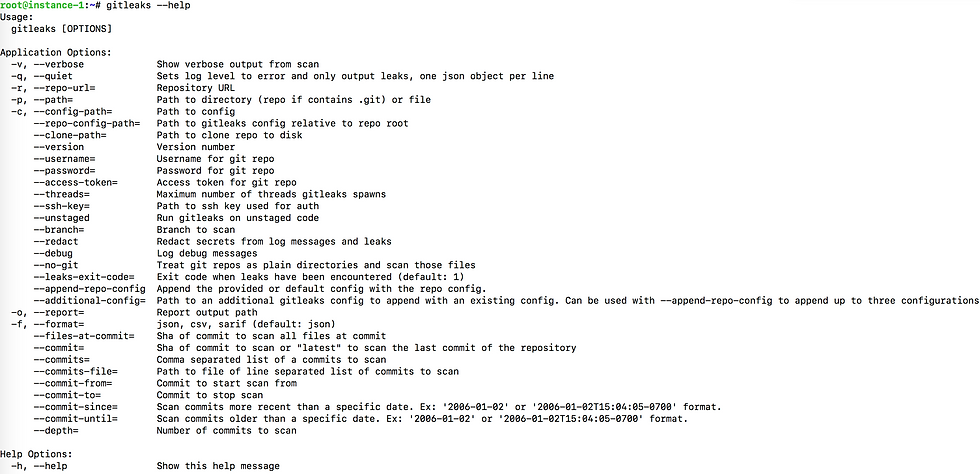
4. You can check GitLeaks help with command:
gitleaks --help
You can the scan the repository with command:
gitleaks --repo-url=https://github.com/cfy9/terraform-github-repository.git --access-token=<Access_Token>

You can also generate the report in JSON, CSV or Sarif format by using --report switch.


Comments